ogCover for WordPress
Create a free ogCover account, choose a template, then connect the WordPress plugin so every post and page gets its own social cover automatically.
From template to live covers
Create or clone a cover template
Copy the access key and template ID
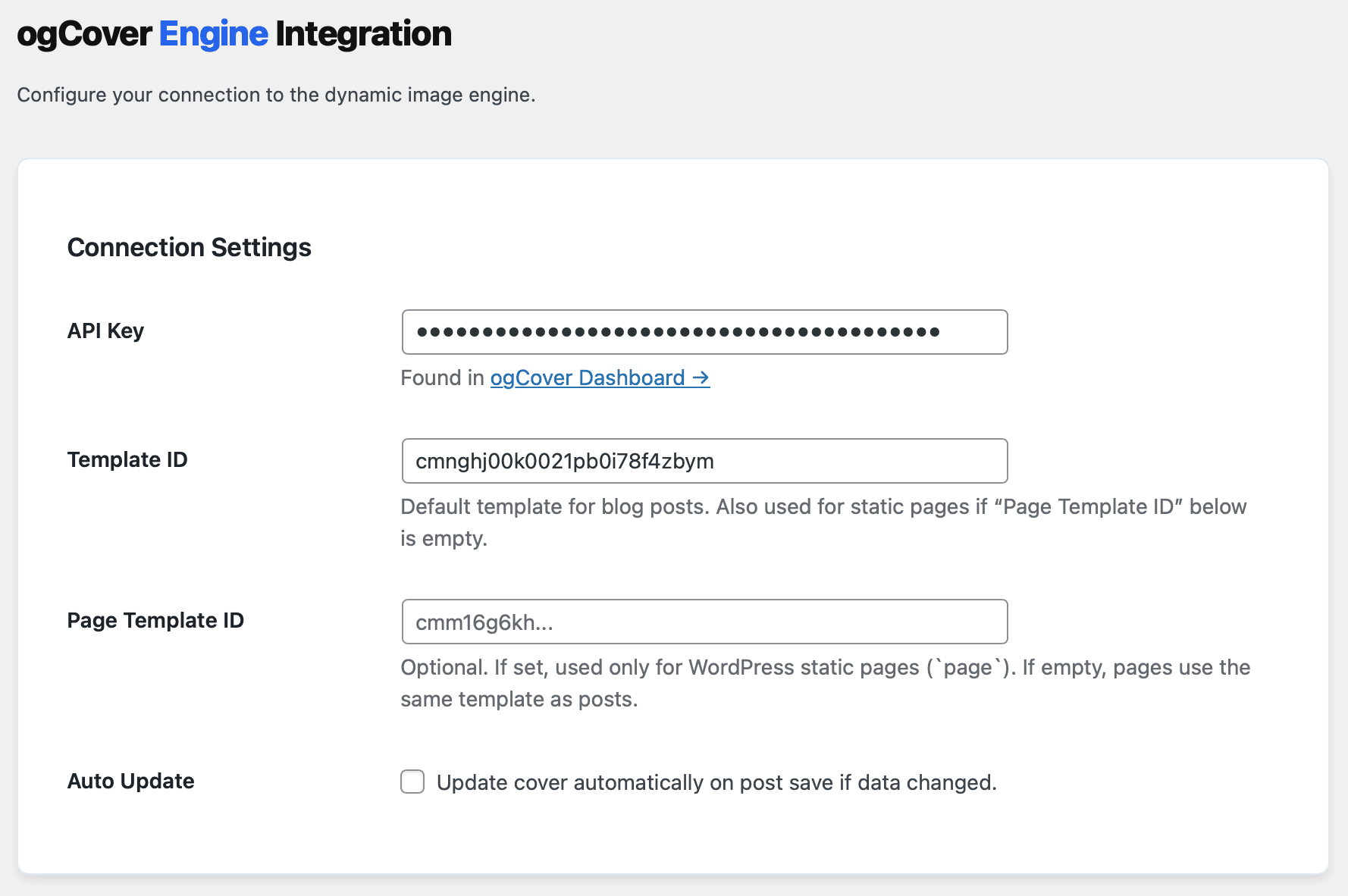
Paste them into WordPress settings
Open source on GitHub
The plugin lives in WordPress. The covers look like your brand.
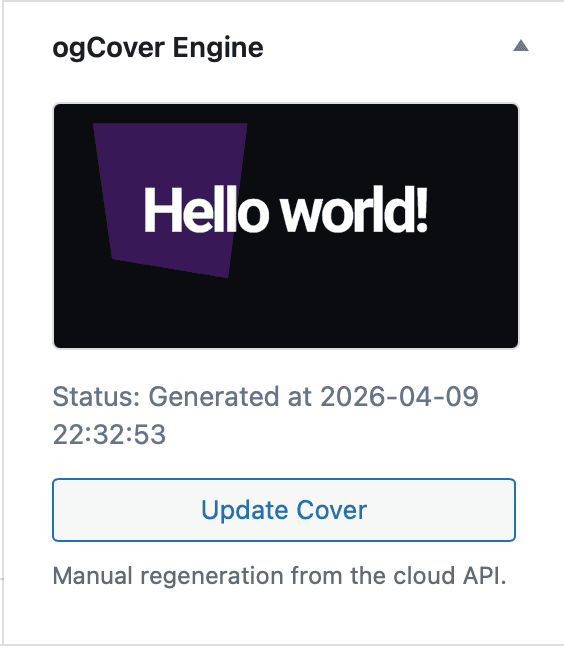
Use the Studio for templates, then manage generation from the WordPress editor and settings screen.
Why ogCover for WordPress?
Auto-generation on publish
OG image is created when you publish — for posts and static pages.
Posts & pages
Same workflow for blog posts and WordPress pages; optional separate template ID for pages.
Manual refresh
Regenerate the cover from the editor sidebar in one click.
Bulk sync
Generate covers for all published posts and pages in one go.
Homepage cover
Optional dedicated template for your site front page OG image.
Simple setup
Access key from Studio plus template IDs — add an extra template for pages if you want.
Up and running in 2 minutes
The plugin page is a setup route, so the steps should be easy to scan and repeat.
Create account
Register for free, choose a template in Studio, and copy your access key.
Studio → KeysDownload plugin
Use the button above — the .zip comes from the latest GitHub release.
ogcover-wp-plugin.zipUpload plugin
In your WordPress admin, go to Plugins → Add New → Upload Plugin and select the file.
WordPress AdminActivate
Click Install Now, then Activate to enable the plugin.
WordPress AdminConnect
Go to Settings → ogCover and enter your access key and template IDs from Studio.
WordPress Admin- Free ogCover account
- Plugin ZIP file
- Access key from Studio
- Template ID for posts
Find a cover for your next publication
Choose a template and make it yours in the editor.